M110 app icon
Public beta

M110

Complete the catalog.

A photo library for your smart telescope. M110 is a desktop app that turns a growing pile of Seestar, DwarfLab, or N.I.N.A. captures into an organized deep-sky library. Catalog, capture tracking, ingest, calibration, stacking, session planning, a sky map of everything you've shot, and safe backups, with a north-star goal to chase.

Download for macOS · Linux · Windows Read the user guide

✨ M110 is free and open source. It always will be. No subscription, no licence key. Apache-2.0 licensed, built in the open, and yours to use, modify, or redistribute.

Everything your captures deserve

Here's just a few of M110's headline features:

🗂️

A real library

Every object you've shot, organized by catalog (Messier, Caldwell, and more), with a per-object journal. Sessions, frames, filters, and integration roll up from your FITS headers, so you know what's done and what needs another night.

🗺️

Your sky, mapped

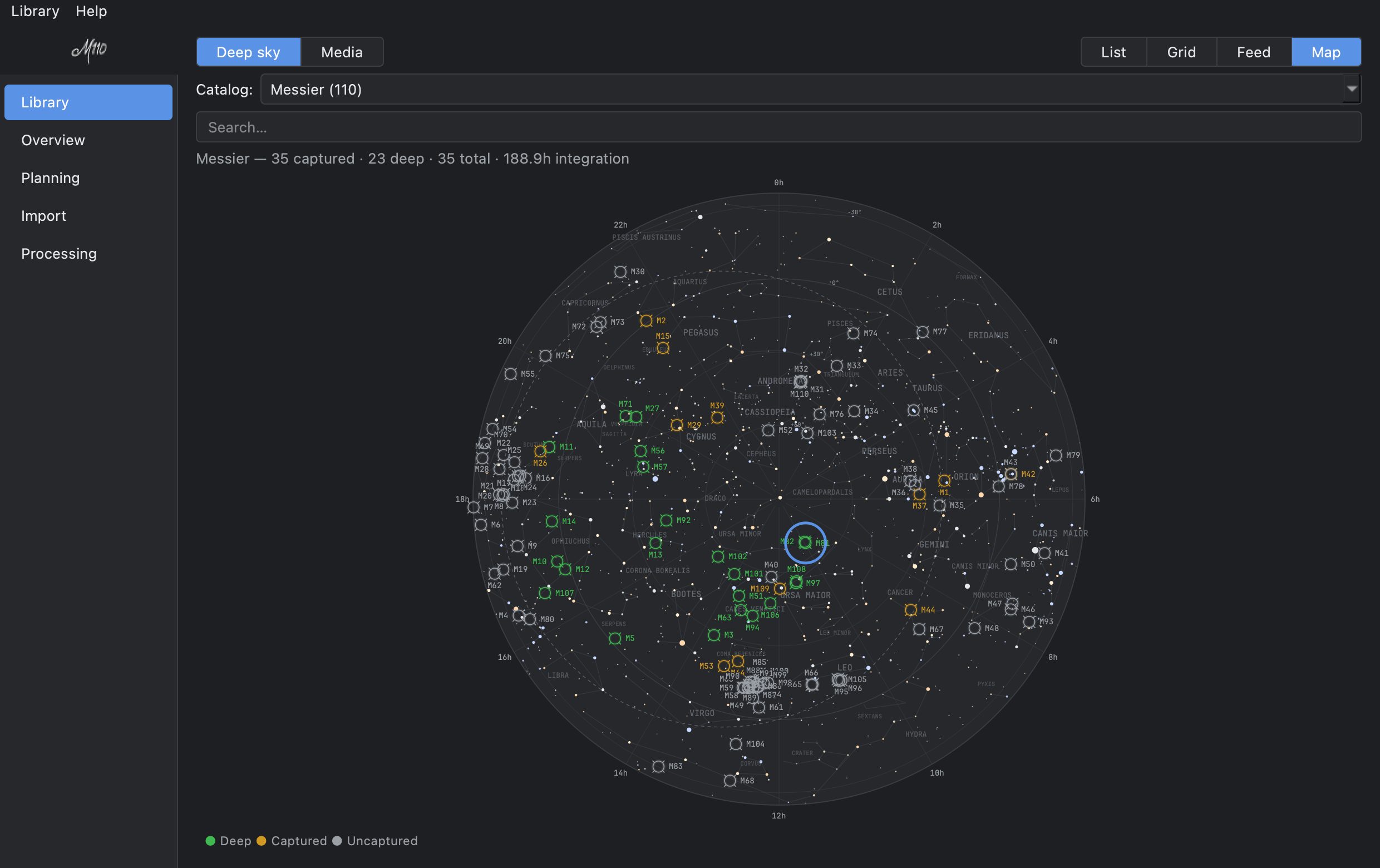
Plot your whole collection on a Uranometria star chart. Filter to a goal and the rest of that list joins the chart in grey. You can see your progress, and what's left to capture.

📥

One-click ingest

Point M110 at your Seestar, DwarfLab scope, a N.I.N.A. or PINS session, or any folder; it groups, names, and files your subs, calibration frames, stacks, and finished renders. You preview before anything is written.

✨

Stacking & processing

Let M110 stack for you with Siril (or Stackhammer, on Apple silicon), or open a ready-made Siril sandbox with your lights linked and a tuned preset. Hand the stack to AstroWizard or StackingWizard, and your finished work comes back into the library.

🌡️

Calibration, handled

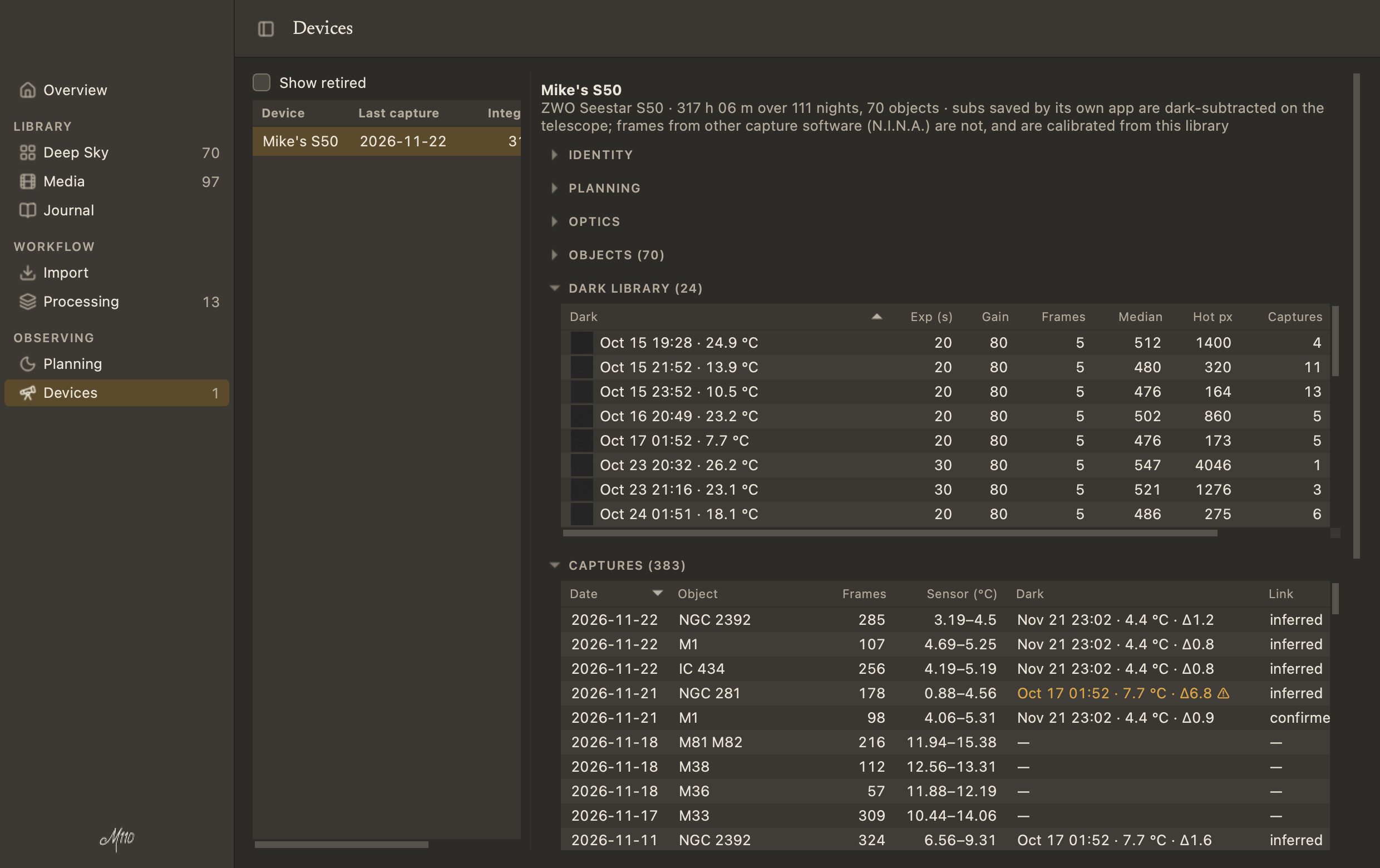
A dark and flat library for each telescope, matched to every capture from its FITS headers. Seestar subs already dark-subtracted on the scope are never darked twice, and the Devices page shows which dark each night got.

🎯

A goal to chase

Track your progress through a curated catalog (Messier, Caldwell, and more) or your own custom goals, on a board of every object, for any telescope or just one. Each target goes from initial to in progress to deep. M110 is named for the 110th and final Messier object.

🌙

Plan your nights

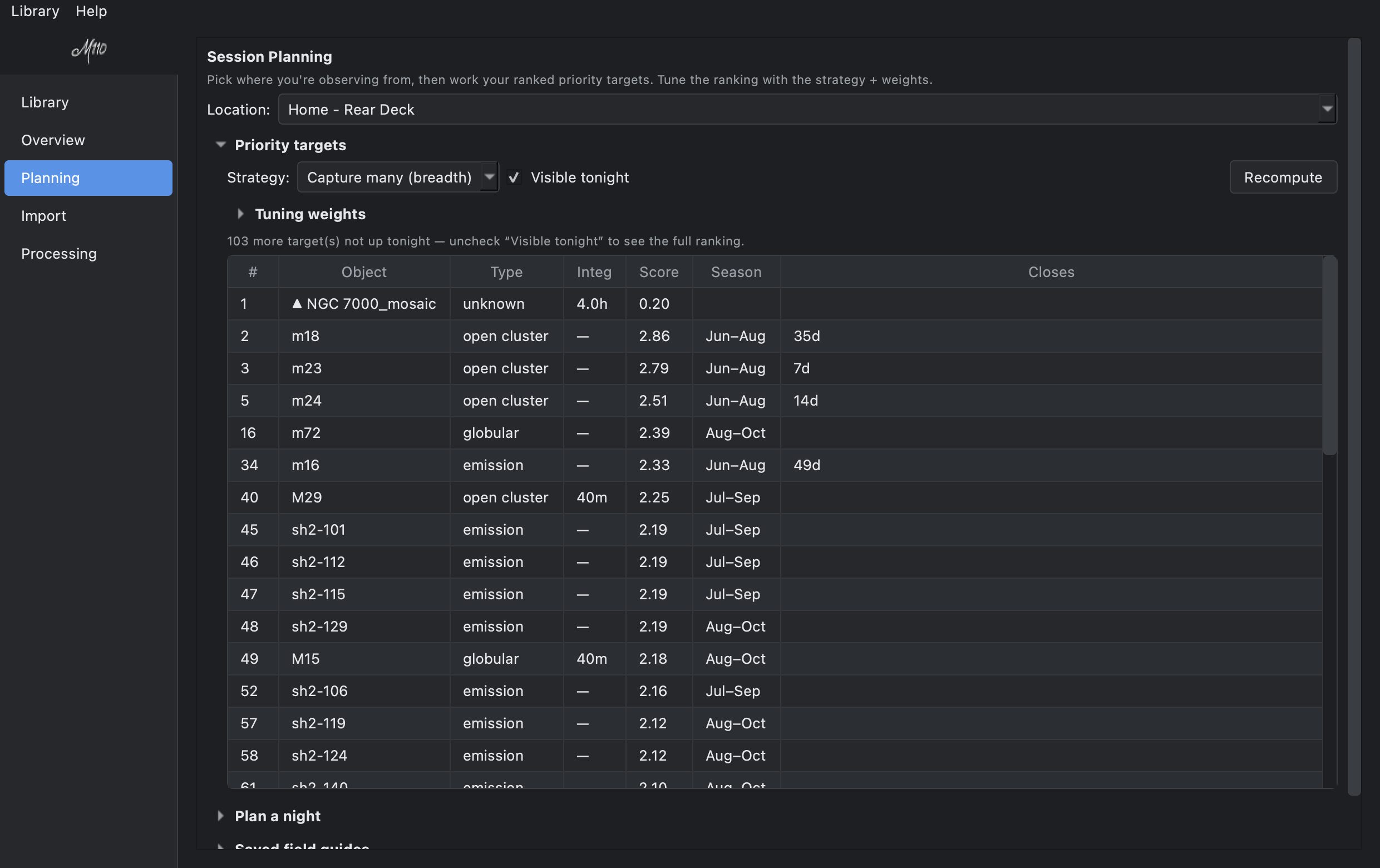
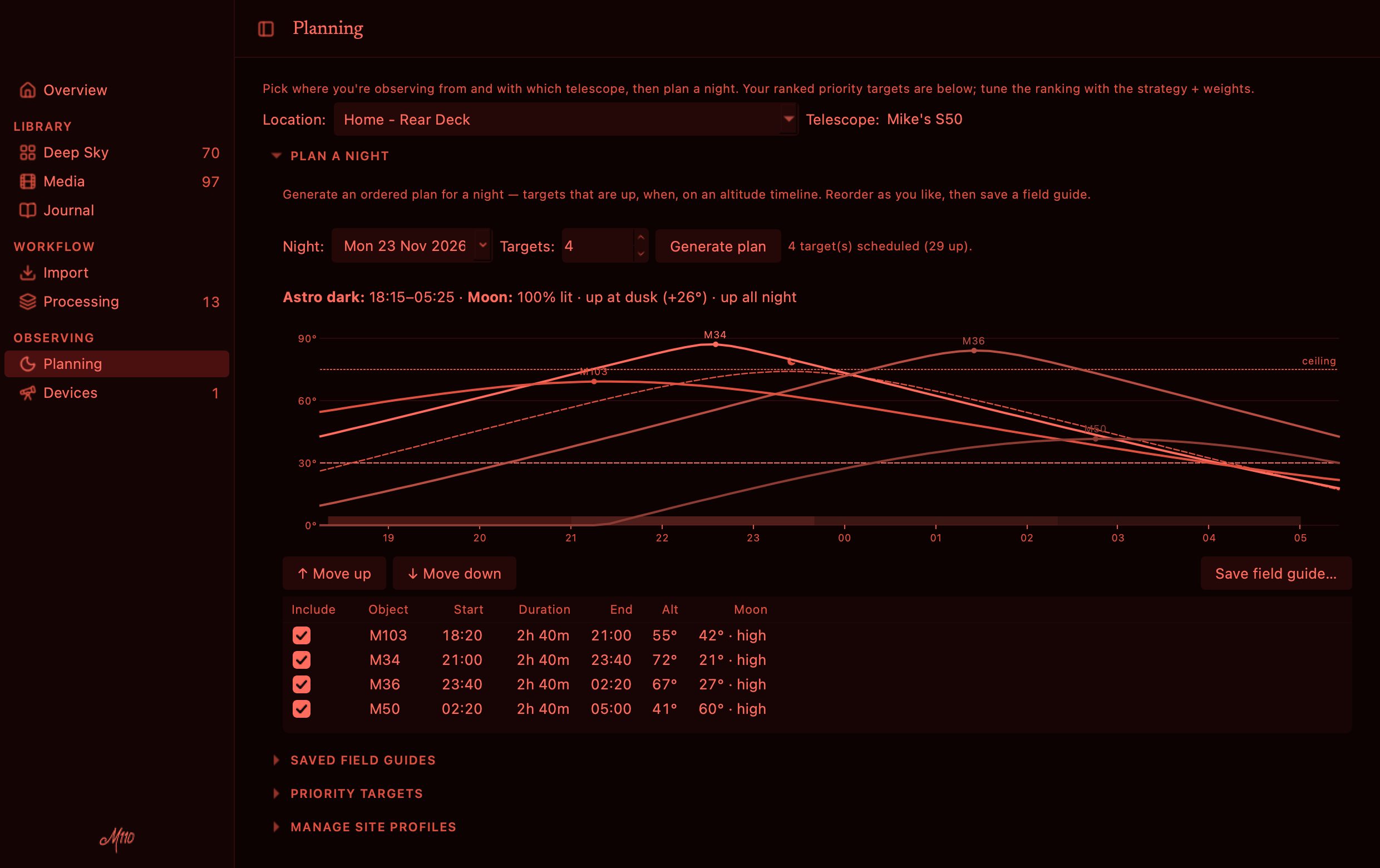
See what's up tonight, ranked by your goals and priorities. M110 creates a moon-aware schedule, an altitude timeline, and a printable field guide for the session, and Night Vision turns the whole app red at the scope.

💬

Ask your library

Connect your own AI assistant and access a growing set of skills. Ask it things like "what should I shoot tonight?" or "critique my M51" Answers come from your site, horizon, and capture history.

💾

Safe by design

Local-first, open source, and careful with your data. Built-in backups to a local drive and an S3-compatible cloud bucket at the same time, so your irreplaceable library stays protected.

Look inside

Click any screenshot to enlarge.

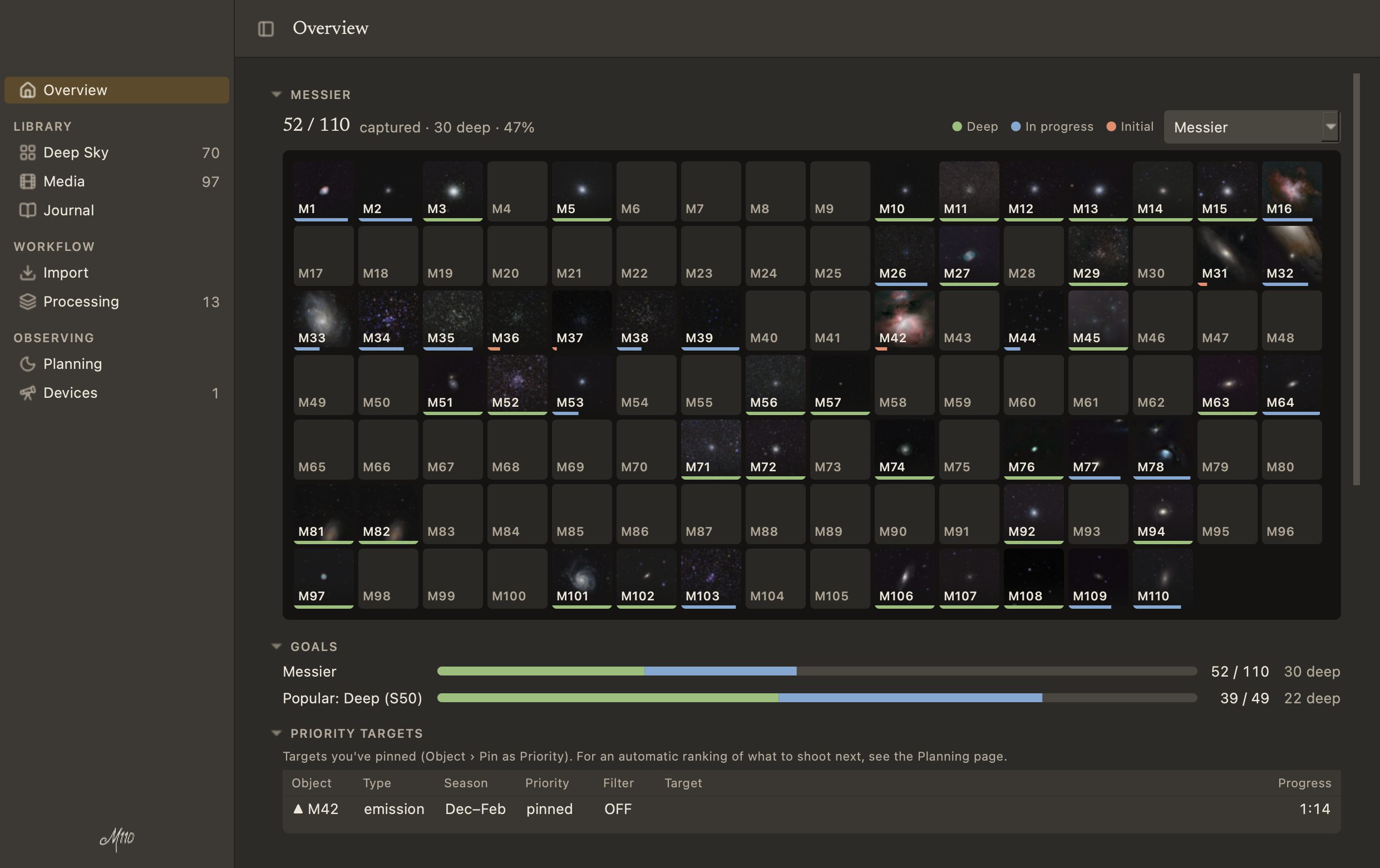
M110 Overview: the Messier catalog board, one tile per object showing its picture and whether it's deep, in progress, or initial, above goal progress bars
All 110, on one board
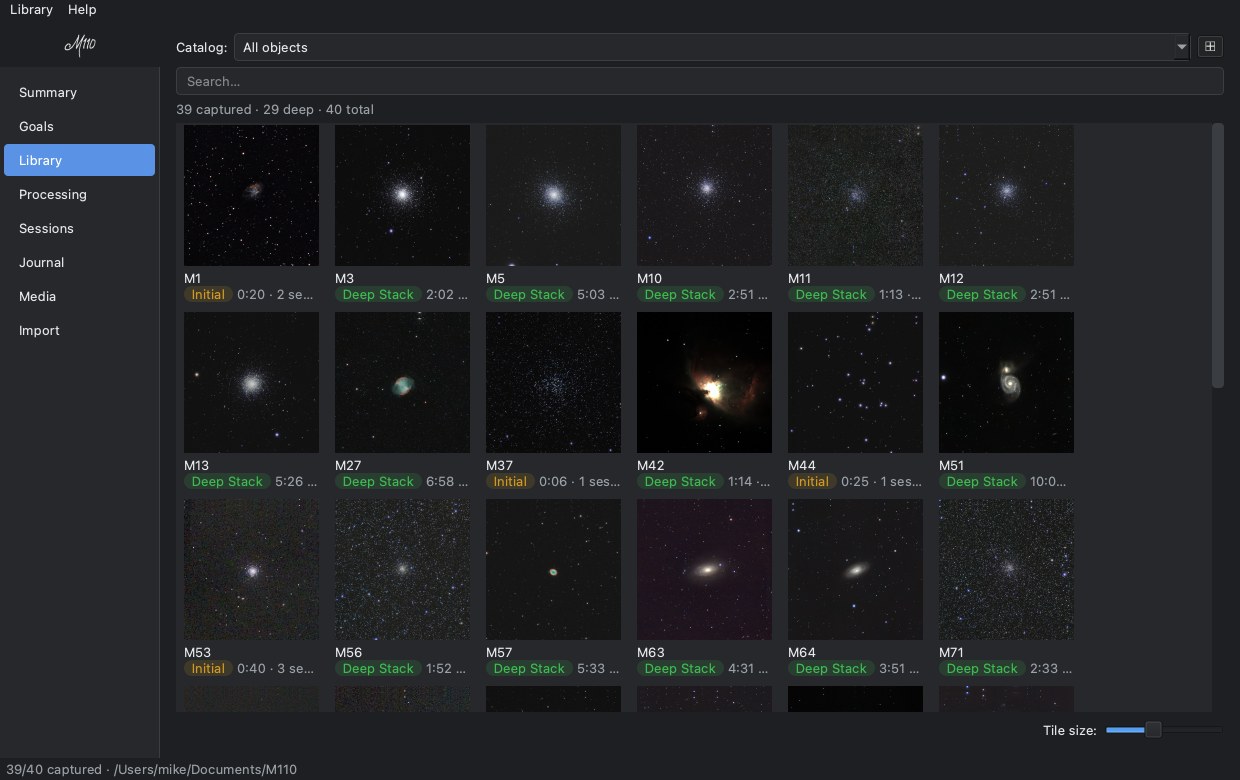
M110's Deep Sky grid: a gallery of deep-sky captures, each tile showing its status or how close it is to its integration goal
Your whole library, at a glance
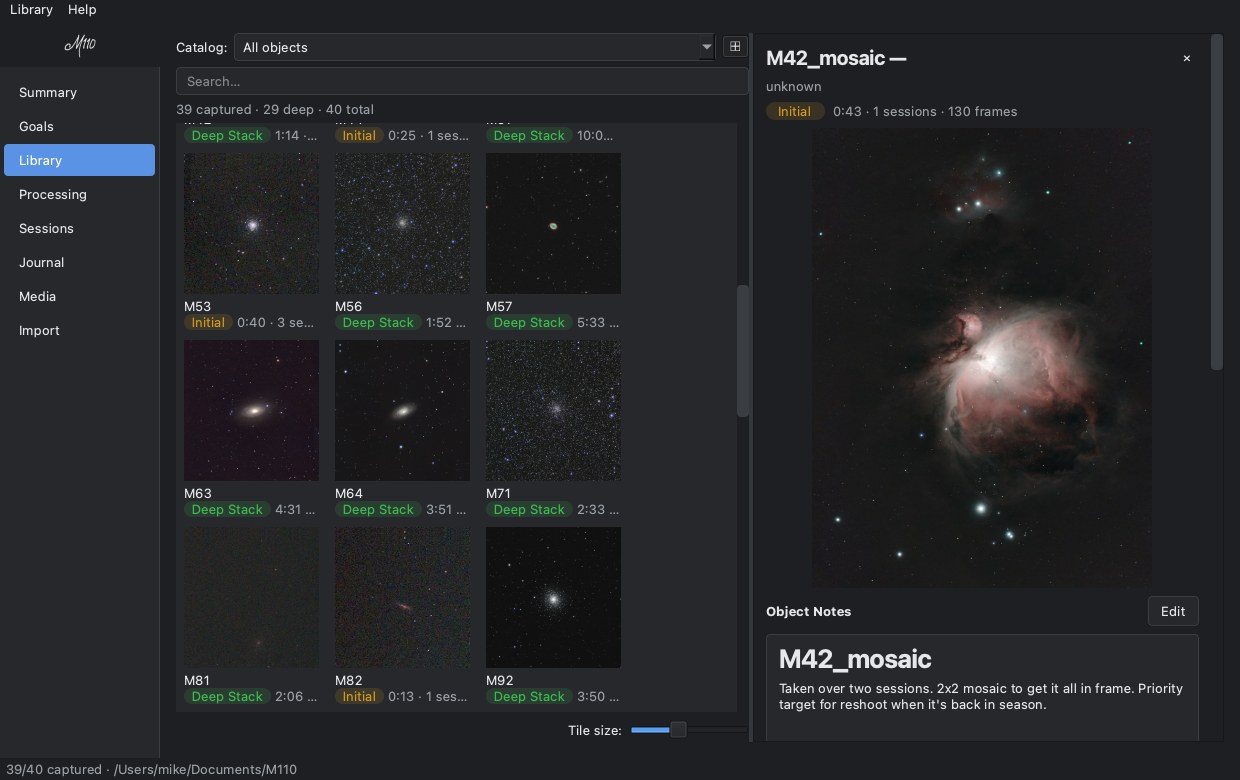
M110 object detail: M81 as a cover image beside the grid, with its integration progress toward its goal and capture details
Every object, with its story
M110's sky map: the Messier catalog plotted on a star chart, colored by status, with the uncaptured rest of the goal in grey
See your progress written on the sky
M110 Planning: tonight's plan on an altitude timeline, with each target's start, duration, end, altitude, and moon separation
Know what to shoot tonight
M110 in Night Vision: the night plan and altitude timeline drawn entirely in dim red
Night Vision, for use at the scope
M110 Devices page: a Seestar S50's dark library by temperature, and each capture with the dark it got and how far off it was
Know which dark every night got

Download the beta

M110 is free and open source (Apache-2.0).

🍎 macOS

Signed & notarized · Apple Silicon

Download .dmg

Drag M110 to Applications. Opens with no warning.

🐧 Linux

AppImage · x86_64

Download AppImage

Make it executable and run. Needs libfuse2 (or run with --appimage-extract-and-run).

🪟 Windows

Installer · x64 · unsigned (beta)

Download installer

SmartScreen will warn on an unsigned beta: click More info → Run anyway.

Have a question or a bug?

M110 is early beta software. Feedback and bug reports are hugely helpful. The best place to reach the project is GitHub. Want support for your smart scope or workflow? We'd love to hear from you!

Report on GitHub